Attendance software for schools and districts
Every absence, followed up. Every family, every day.
The daily follow-up list, calls and family texts, and the weekly attendance meeting, in one place.
Works from your student information system’s attendance export
Chronically present, every day matters.
One missed day is a phone call. Eighteen is chronic absence. Here is one morning, the way it goes with BrainBridge.
7:40 am
Maria isn’t on the bus.
School has started. If nobody notices, today becomes an absence.
8:30 am
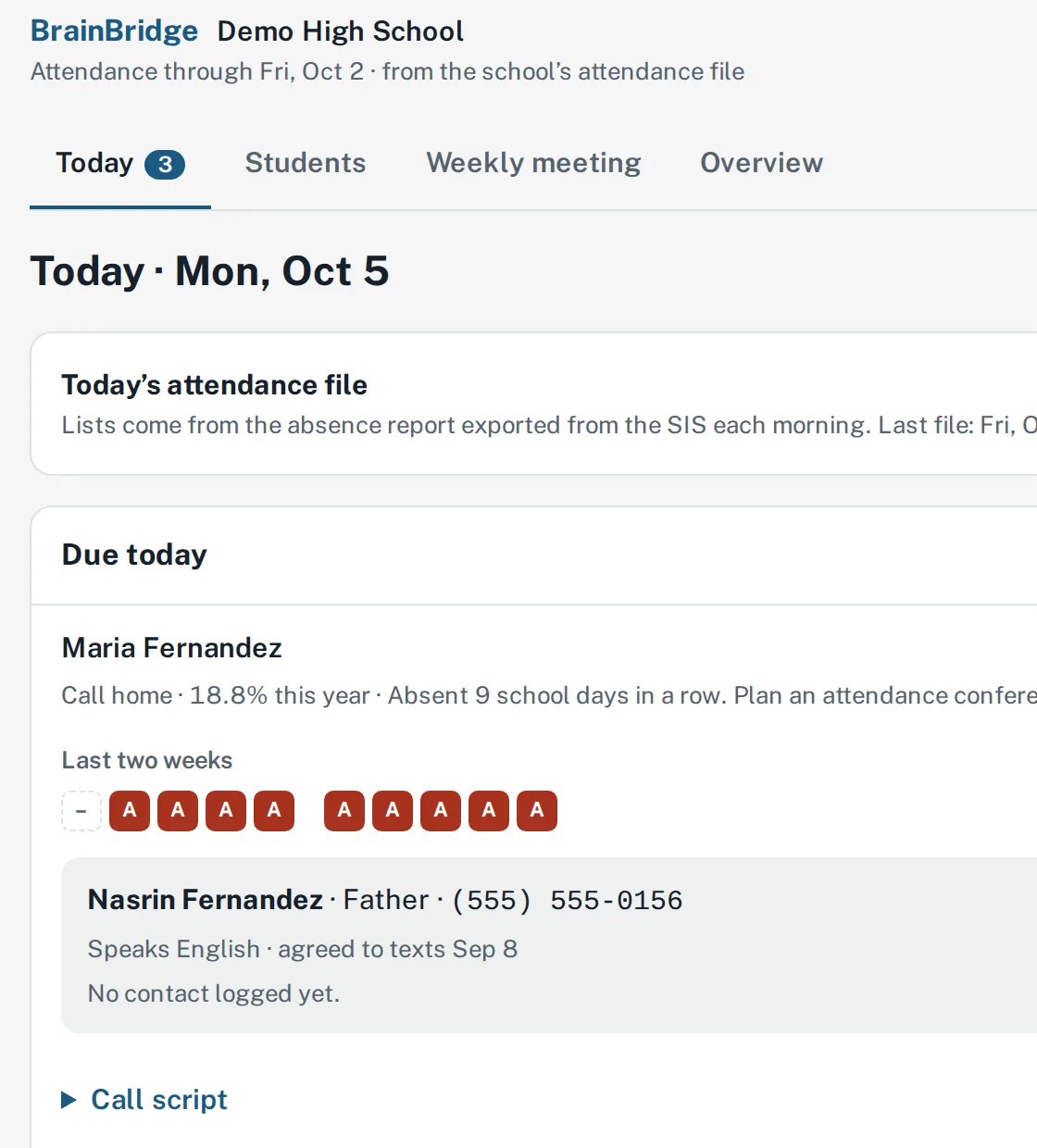
Her name is on Ms. Rivera’s list.
Not a spreadsheet. One person’s list for today, with the family’s number, their language and a short script.
8:45 am
One call. One tap.
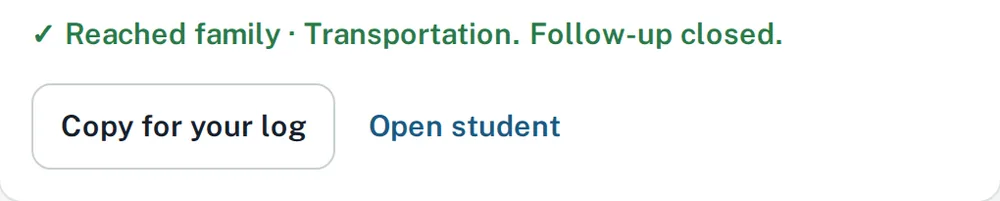
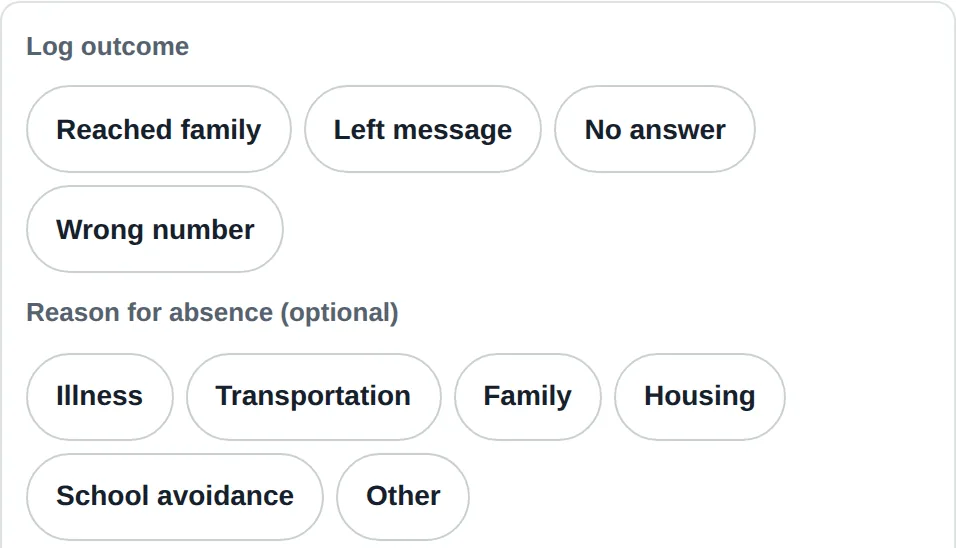
Reached family: she missed the bus and is on her way. Logged once, with the reason, ready for the school’s records.
9:10 am
She walks in.
Late is still present: no absence, no streak.
Meeting day
The weekly meeting already knows.
The agenda is built from the week. Every next step has an owner and a date.
In 2024-25, 22.6% of U.S. students were chronically absent, about 10.8 million students who missed 10% or more of the school year. The follow-up that catches day one is what keeps a bad week from becoming a bad year. That is the job BrainBridge does. Sources: American Enterprise Institute (2026); RAND (2025).
What it does
Built for attendance teams, counselors and family workers in public schools, charter schools and districts, and the community-based organizations that partner with them.
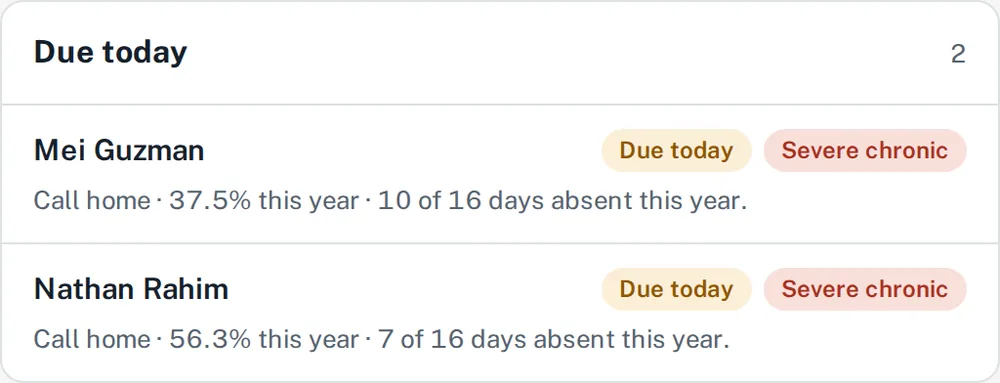
A daily follow-up list
Each morning, every staff member sees which students to check on and what has already been tried.
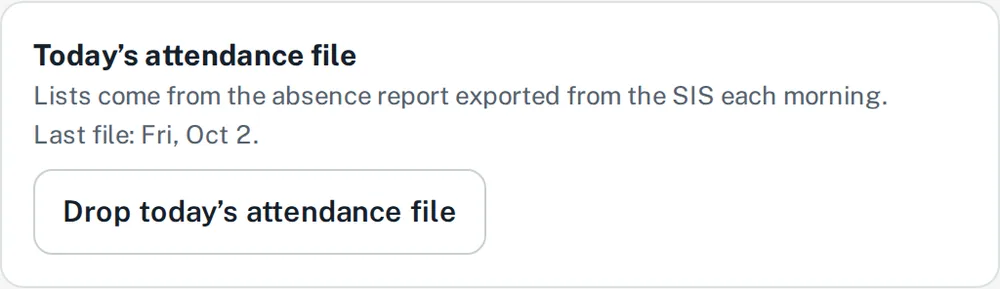
Attendance file in, lists out
Drop today’s attendance file and everyone’s follow-up list is ready.
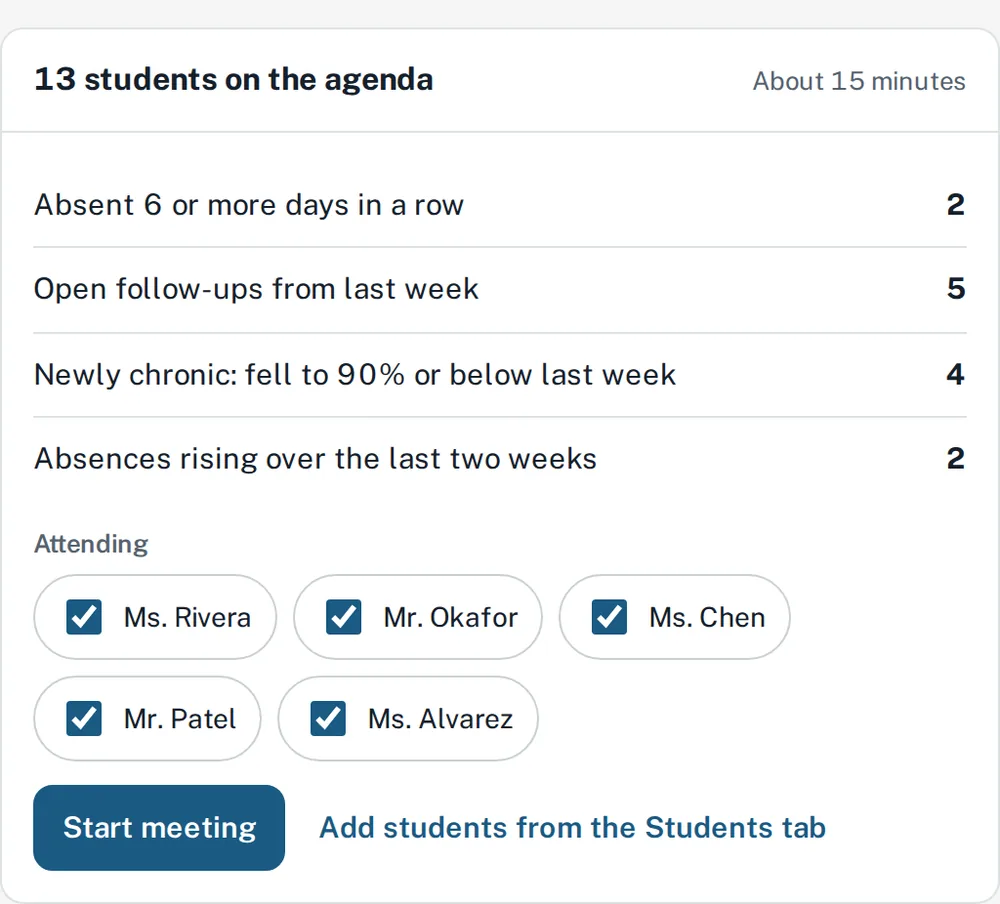
The weekly meeting agenda builds itself
Built from last week’s data, with an owner and a due date for every next step.
Texts from each staff member’s school-assigned line
Families reply to the person who wrote to them, and every conversation is logged.
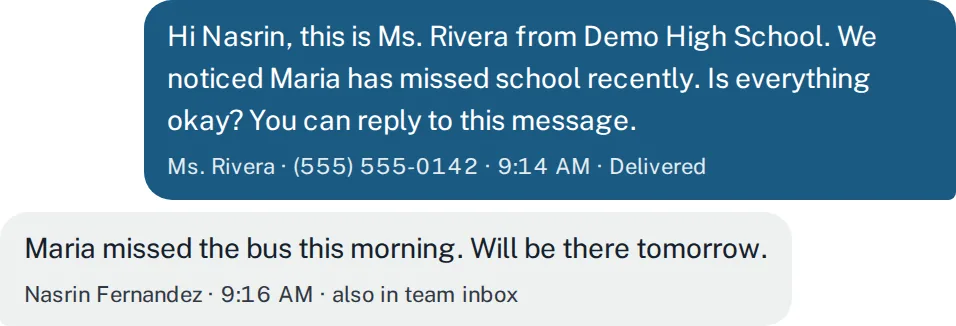
One click to your contact log
Each logged contact can be copied with the date, outcome and reason, ready for your school’s records.
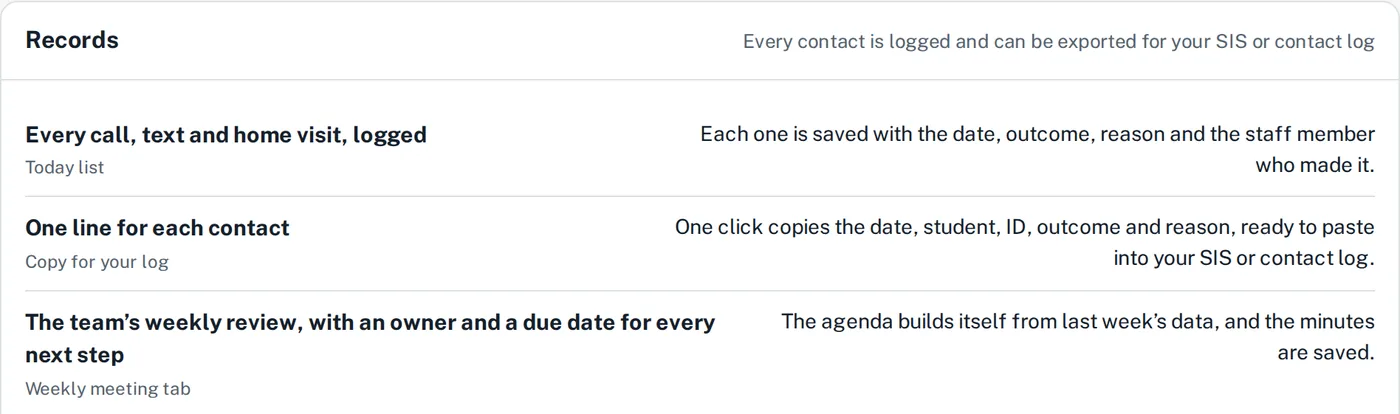
Records, kept as you work
Every contact, reason and next step is kept with the date and the staff member who did it.

How it works
Three steps: two every morning, one every week.
Writing to families too? What to put in an attendance letter, with a template →
Step 1: Drop the attendance file
Each morning, drop in the attendance export from your student information system. Every staff member’s follow-up list is ready.
Step 2: Work the list
Call families, or text them from your school-assigned line, then log what happened in a tap.
Step 3: Meet weekly
The agenda builds itself from last week’s data, and every next step gets an owner and a due date.

For community-school partners (CBOs)
Community-based organizations that do attendance work at a school use the same tool, set up for how they work.
Caseload-only access
CBO staff see only the schools and students they’re assigned to.
Texts from their school-assigned line
Staff text families from their school-assigned line, and every conversation is logged.
The weekly meeting, together
CBO staff join the weekly attendance meeting with the school’s attendance team, working from the same agenda.
Works from the school’s attendance file
The school drops in the attendance file. CBO staff don’t need access to the student information system to see their follow-ups.
Built to be trusted with student data.
Security and compliance →Stored in the United States
All customer data is stored in the US.
Encrypted in transit and at rest
TLS in transit, and encryption at rest for stored data.
Only what you’re assigned
Staff see only their schools, programs and students.
A person presses send
Nothing goes to a family without a staff member.
Never sold
No selling, no advertising, no marketing profiles.
Before you choose
See it for your school.
Request a walkthrough for your school or district, or open the interactive demo now.